Add anyone or anything to any video. Upload a clip and a photo, say where it goes, and Pikadditions blends it into your footage with matching light, shadows and motion.
Your footage stays the same
Matching light and shadows
Ready in 3 minutes
Works on phone and desktop
1. Upload Media
Pikadditions Video Examples
Every example below is a real Pikadditions result: the photo that was added, the original clip and the finished video.
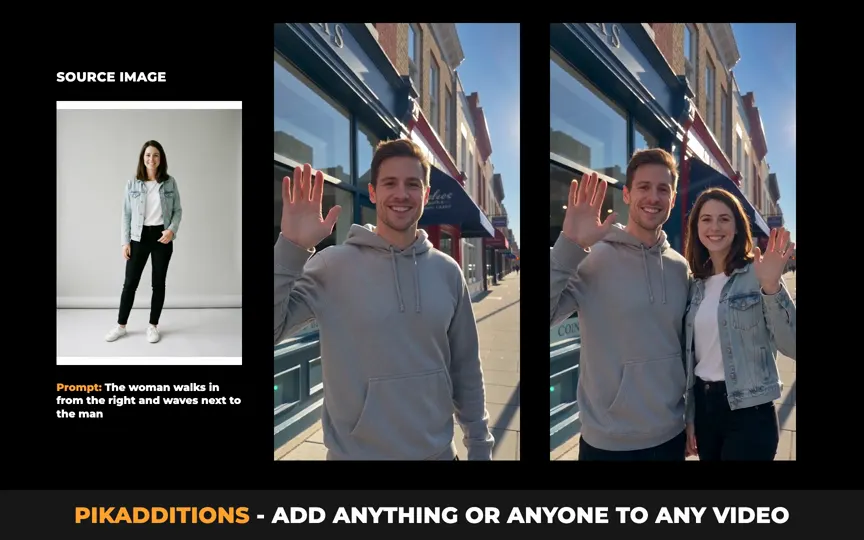
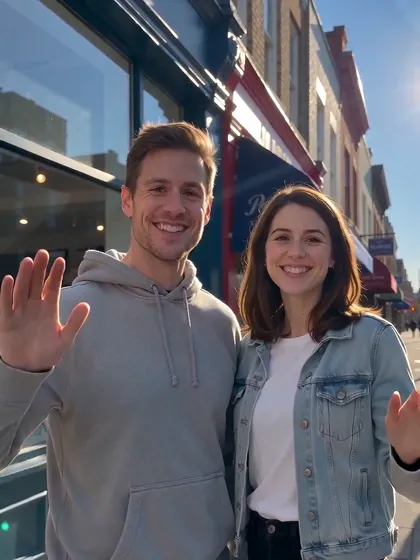
A friend joins the shot
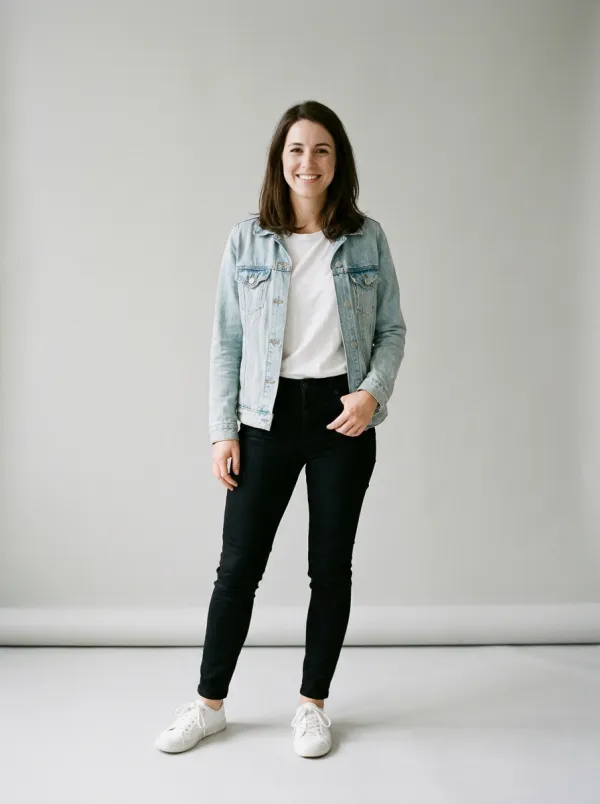
A woman from a studio photo walks in and waves next to the man on the street.
Polar bear cub in the microwave
A baby polar bear sits inside a working microwave in a real kitchen.
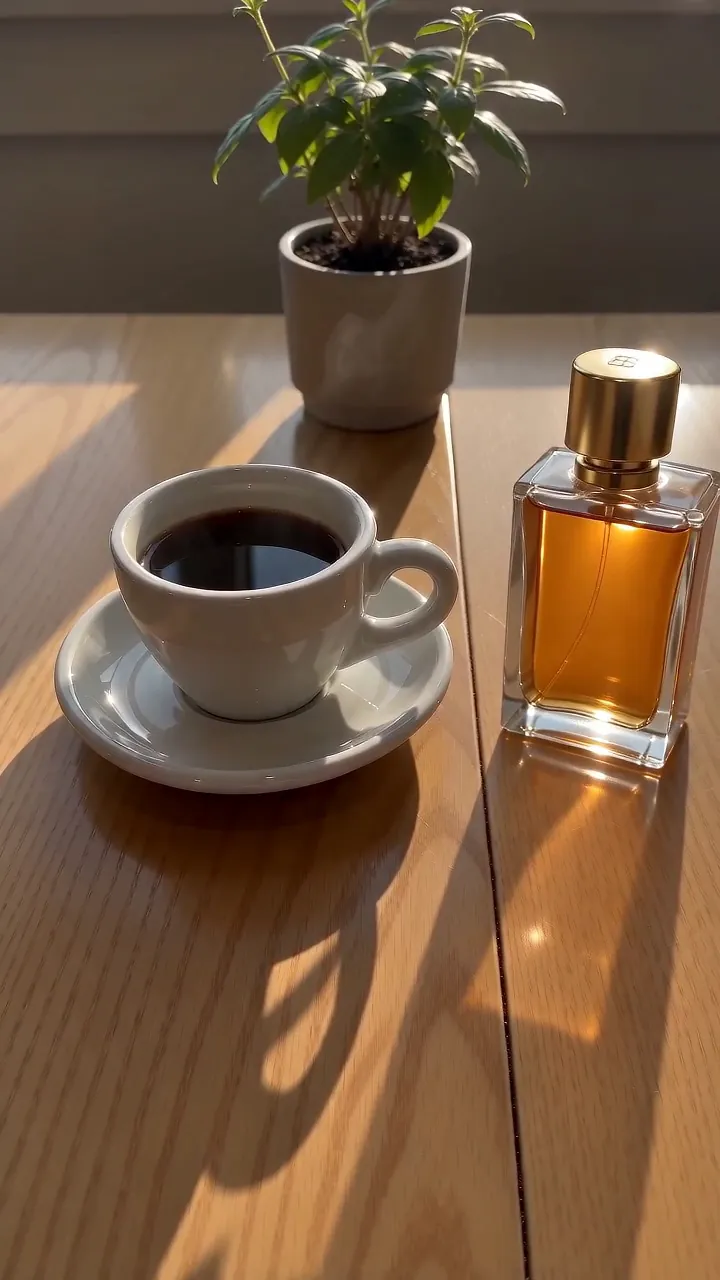
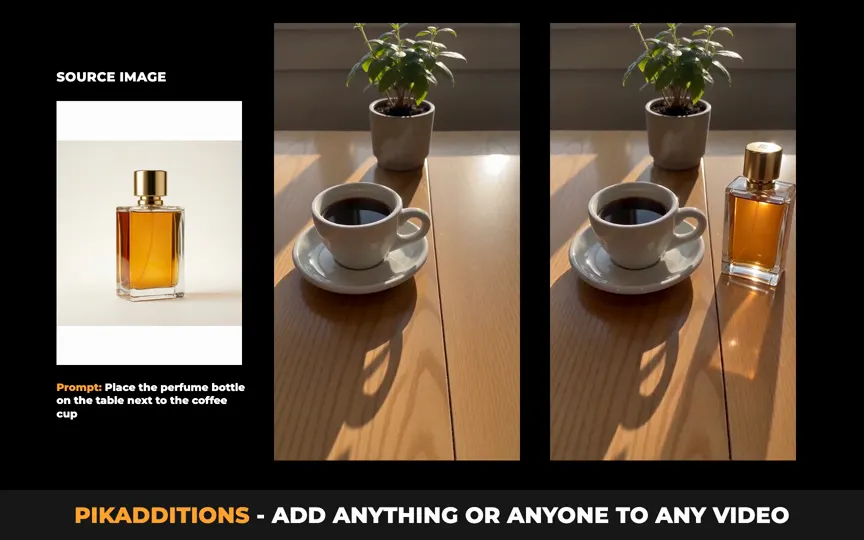
Perfume on the café table
A product photo becomes part of a sunny café scene, with real reflections and shadow.
Red sunglasses on a traveler
Sunglasses appear on her face and she breaks into a smile.
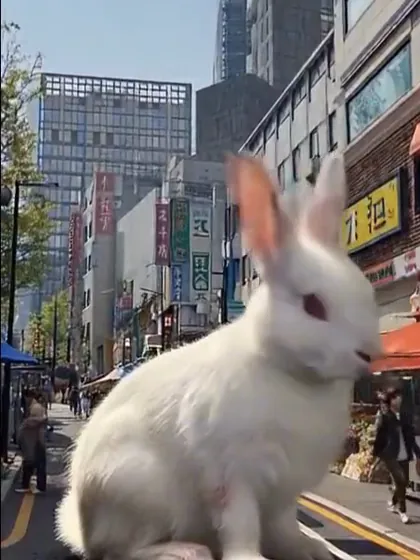
Giant rabbit on a city street
A white rabbit the size of a car sits in the middle of a busy crosswalk.
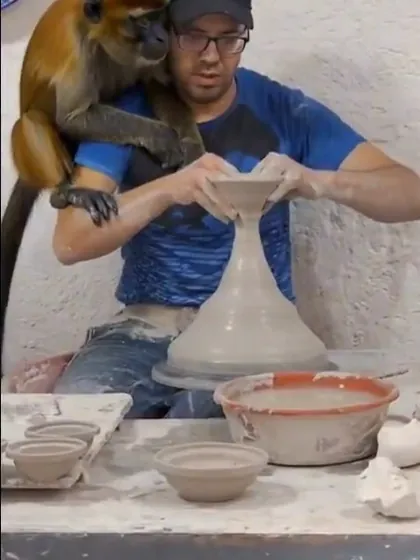
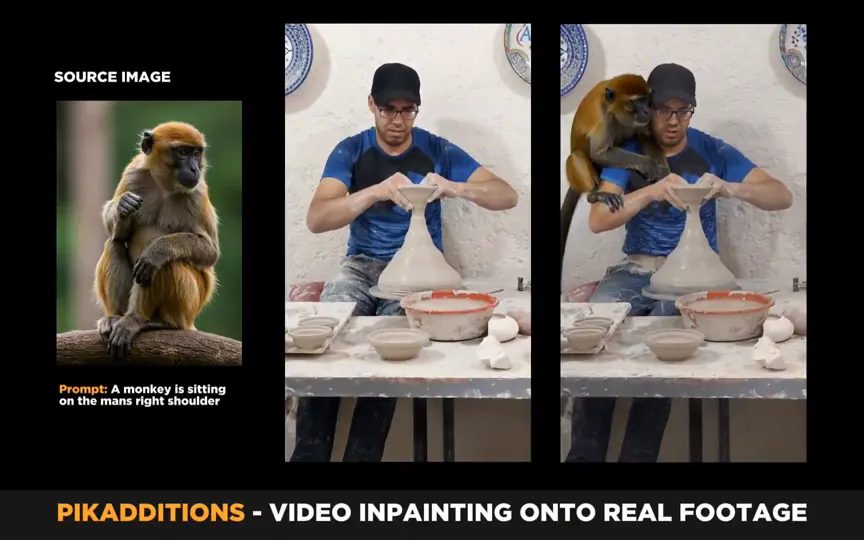
Monkey on his shoulder
A monkey climbs onto the man's shoulder while he keeps cooking.
Giant octopus on the beach
An octopus rests on the wet sand as a surfer walks past.
Rabbit in a dark shower
A white rabbit appears in a dim shower, lit by the torch beam.
Polar bear cub in the fridge
The polar bear sits on a fridge shelf when the door opens.
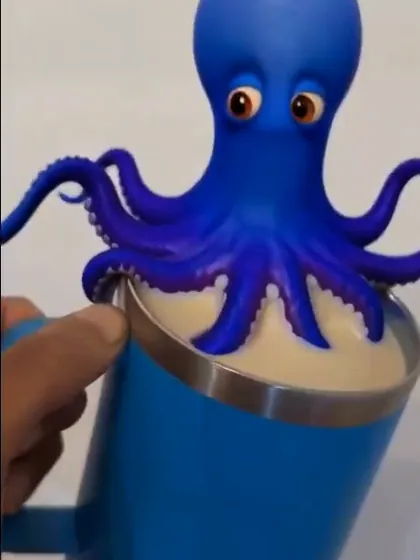
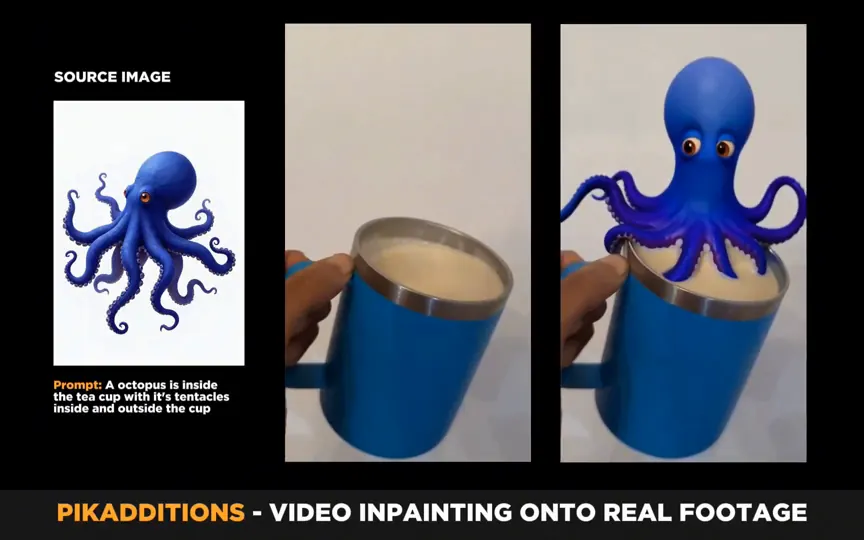
Octopus in a coffee mug
A cartoon octopus wraps its tentacles around a mug held in a hand.
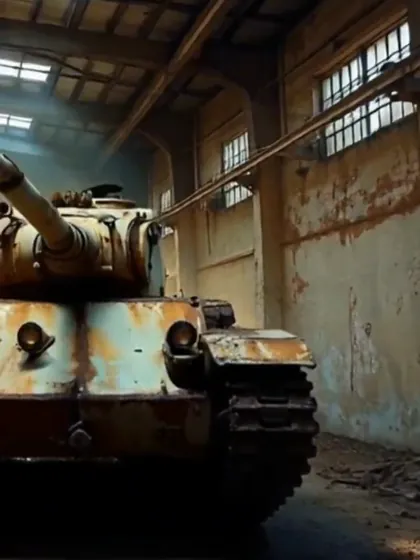
Tank in an empty warehouse
An old tank stands in a dusty warehouse lit by sunbeams.
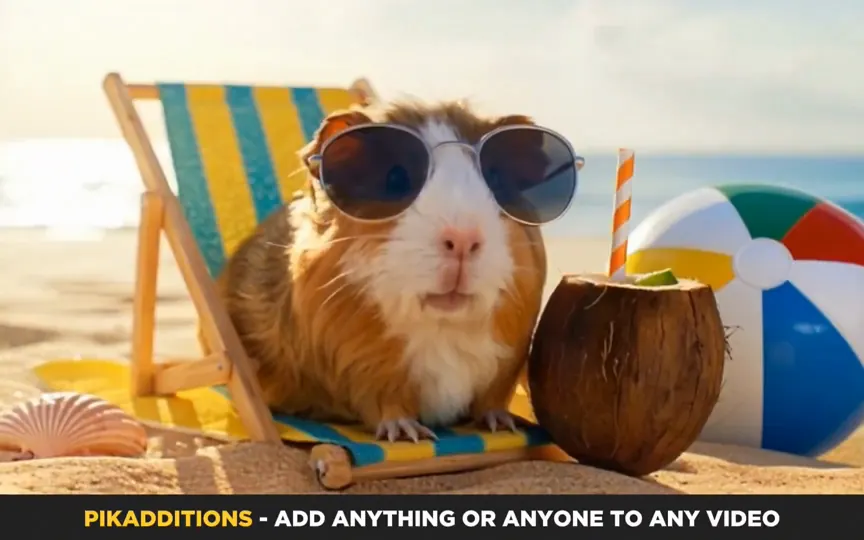
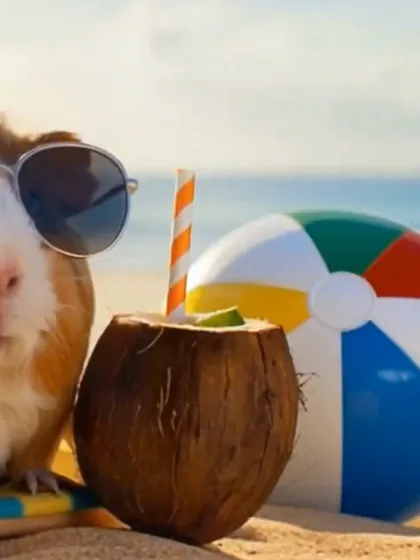
Beach day props
A coconut drink and a beach ball join a guinea pig on its sun lounger.
What is Pikadditions AI?
Pikadditions is an AI video editor that adds a person, animal, product or object from a photo into a video you already have. You upload a clip and one image, write a short instruction, and Pikadditions returns the same video with the new subject inside it, moving naturally with the scene.
Your original footage stays as you shot it: the camera move, the people, the background and the timing all stay the same. Pikadditions AI reads the light, perspective and motion of every frame, so the added subject casts real shadows, sits at the right size and follows the camera as if it was there when you filmed.
Keeps your original footage
Matches light and shadows
Follows the camera
Works in your browser
Pikadditions Features
What makes a Pikadditions video look like it was filmed that way.
Keeps Your Original Video
Only the new subject changes.
Pikadditions edits your clip instead of making a new one. The people, the background, the camera move and the timing stay as you filmed them, and the subject you add moves inside that scene.
Same framing and camera path
Same people and background
Same length as your clip
OriginalPikadditions
Matches Light, Shadows and Reflections
It looks lit by the same sun.
Pikadditions reads where the light comes from in every frame. The added subject picks up the same color of light, casts a shadow in the right direction and shows up in reflections on glass and wood.
Shadows fall the right way
Color and brightness match the scene
Reflections on shiny surfaces
Hover to zoom
Moves With the Camera and the Scene
Handheld, push in or pan, it stays in place.
When the camera pushes in, pans or shakes, the added subject keeps its spot and its scale. People and animals walk, wave and react with natural motion instead of sliding over the footage.
Stays locked to the scene
Right size as the camera moves
Natural movement for people and animals
Add Anyone or Anything From One Photo
One photo is all Pikadditions needs.
A full body photo of a friend, a product shot, a pet picture or a cartoon character is enough. Pikadditions keeps the face, colors and details from your photo and fits them into the video.
People, pets and animals
Products and objects
Cartoon characters and mascots
A personA productAn animalA cartoon character
What You Can Add with Pikadditions
Pick an idea and its prompt goes straight into the Pikadditions generator at the top of the page.
Add a Person to a Video
Bring a friend, a family member or yourself into a clip you already filmed, standing, walking or waving with everyone else.
“Add the person from the image walking in from the right and standing next to the man, then waving at the camera.”
Add a Pet or Animal to a Video
Put your dog on the sofa, a cat on the desk or a wild animal somewhere it never was. Pikadditions matches the fur, light and shadows to the scene.
“Add the animal from the image sitting on the sofa next to the woman, looking at the camera.”
Add a Product to a Video
Place your bottle, sneaker or gadget into lifestyle footage for ads and social posts, without a new shoot.
“Place the product from the image on the table in front of the camera, with the same light and shadow as the room.”
Add a Cartoon Character to a Video
Drop a mascot, a toy or a drawn character into real footage and let it react to what happens in the scene.
“Add the cartoon character from the image sitting on the edge of the cup and waving its arms.”
Add an Object or Prop to a Video
Give someone sunglasses, a hat or a drink, or add a cake, flowers or balloons to the moment you captured.
“Add the coconut drink and the beach ball from the image next to the guinea pig on the sun lounger.”
Add Vehicles and Large Objects
Roll a car, a boat or a tank into an empty street, beach or warehouse, and Pikadditions keeps the scale right.
“Add the tank from the image rolling slowly into the middle of the warehouse through the sunbeams.”
Who Uses Pikadditions
From quick social posts to product ads, Pikadditions fits into the way you already make videos.
Social Media Creators
Turn an everyday clip into something people stop scrolling for: a giant rabbit on your street, a monkey on your shoulder, a pet doing the impossible.
Brands and Online Sellers
Place your product into lifestyle footage for ads, stories and product pages without booking a new shoot.
Filmmakers and Editors
Preview props, vehicles or extra characters in a real location before you commit to a full effects shot.
Families and Friends
Bring someone who could not be there into the birthday, the trip or the group video, standing right next to everyone else.
How to Use Pikadditions
Four steps from your clip to a finished Pikadditions video.
1
Upload your video
Choose a clip of 5 to 15 seconds. If your video is longer, the trimmer opens so you can pick the part you want.
2
Upload a photo
Add a clear photo of the person, pet, product or object you want in the video. A plain background works best.
3
Describe the addition
Say where it goes and what it does, for example: standing next to the man on the left and waving at the camera.
4
Generate and download
Pikadditions blends it into your clip in 3 minutes. Watch the result, download it, or find it later in My Videos.
How to Write a Pikadditions Prompt
Your photo shows what to add. Your prompt tells Pikadditions where it goes and what it does.
Add the woman from the imagenext to the man on the left side,walking in and waving at the camera,in the same afternoon sunlight.
1. What to add
2. Where it goes
3. What it does
4. Extra detail
Weak and strong Pikadditions prompts
WeakAdd a dog.
StrongAdd the dog from the image sitting on the sofa next to the woman, looking up at her.
WeakPut the bottle in.
StrongPlace the perfume bottle from the image on the right side of the table, next to the coffee cup.
WeakMake him appear.
StrongAdd the man from the image walking in from the left and shaking hands with the man in the middle.
Start with a clear photo
One subject, sharp and well lit, on a plain background. For people, a full body photo gives the most natural walk and pose.
Pikadditions vs Traditional VFX Compositing
Adding a person or object to a video used to take an effects artist and a long night. Here is what changes with Pikadditions.
Traditional compositingPikadditions
Time per clipHours of frame by frame work3 minutes
SkillsMasking, tracking and color matchingUpload a photo and write one sentence
ToolsDesktop effects software on a high end computerA browser on your phone or computer
Light and shadowsMatched by hand, shot by shotMatched in every frame for you
Camera motionTracked by handFollowed for you
CostAn editor's time or an effects budget2 credits for every 5 seconds
Pikadditions Pricing
Buy a credit pack once and pay only for the videos you make. No subscription.
You upload a video and a photo, then describe where the subject goes. Pikadditions AI builds the subject into every frame of your clip, matching the light, perspective and camera motion, and keeps the rest of the video as it was.
Every 5 seconds of video costs 2 credits, so a 10 second clip costs 4. Credit packs start at $9.90 for 20 credits and you buy them once, with no subscription. The pricing page lists every plan.
Pikadditions works with one time credit packs instead of a subscription, so you pay only for the videos you make. The smallest pack is $9.90 and covers ten 5 second videos.
You can use clips of 5 to 15 seconds in MP4 or MOV. If your video is longer, the built in trimmer lets you choose the part to use before you generate.
Use a JPG, PNG or WebP photo of one clear subject, up to 12 MB. People, pets, products, cartoon characters and objects all work, and a plain background gives the cleanest result.
A Pikadditions video is ready in 3 minutes on average. You can stay on the page or come back later and find it in My Videos.
Yes. Pikadditions runs in the browser on iPhone, Android and desktop, so there is nothing to install.
Yes. The videos you create belong to you, so you can post them, use them in ads or add them to client work.
Each Pikadditions video uses one photo. To add two people or a set of products, put them together in the same photo and describe where each one goes in your prompt.
Yes. Pets, wild animals, toys, mascots and drawn characters all work. Pikadditions keeps their colors and style and makes them move with the scene.
Every Pikadditions video is saved in My Videos, where you can watch it and download it.
The credits for that video go back to your account automatically, and you can run it again with a different photo or prompt.
Ready to Add Something to Your Video?
Upload a clip, add a photo and see your Pikadditions video in minutes.